Your Intercom (Aiphone IXG-2C7)
When Someone Calls Your Unit
-
The screen will light up and show live video of the caller.
-
The unit will chime to let you know someone is at the door.
-
Tap the Talk button (person symbol) on the touchscreen to start two-way audio.
- While connected to a call, tap the Key icon (Unlock) to open the front door and give lift access to your floor.
- Tap the 'X' to end call
Important - If you do not end call (Tap the 'X') the audio does not disconnect, and will continue to broadcast all talk & sounds coming from your unit.

Your wall mounted intercom
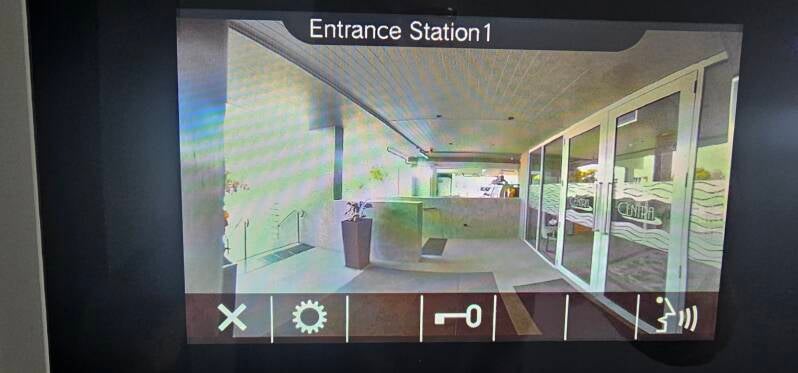
Intercom view of front entry door